The knowledge-catalog management package TKCat reached version 1.3.0 on CRAN on 20 October 2026, adding a read-only MCP server for chTKCat. Using the table and field comments, primary and foreign keys, and cross-database concept collections built into modeled databases, it guides an AI assistant through four steps (search, read the model, preview, write the query) to produce results that can be checked, instead of guessing what tables mean and how they join.
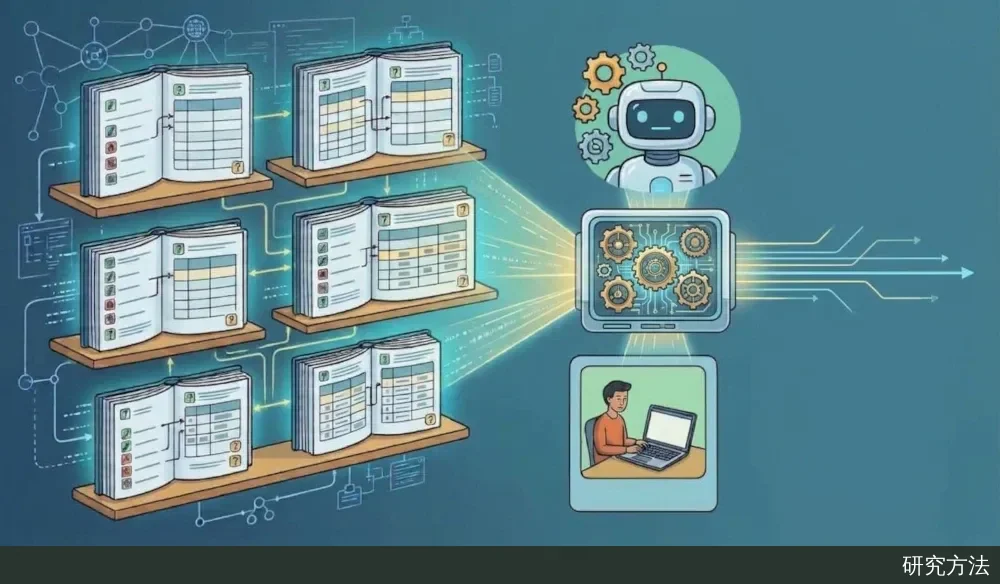
Conceptual illustration of a TKCat modeled database (MDB) interacting with an AI assistant through an MCP server (image source: Patrice Godard's blog post "TKCat meets LLMs", CC BY-SA 4.0)
From Guessing Table Names to Reasoning from the Model: What Machine-Readable MDB Documentation Contributes
When a large language model faces a research database it has never seen, it can usually only guess table structure and infer join keys from the surface meaning of column names, and it easily confuses field encodings, units of measurement or cross-table logic. TKCat (Tailored Knowledge Catalog), an R package for managing knowledge catalogs, released version 1.3.0 on CRAN on 20 October 2026 (requires R ≥ 4.1 and ReDaMoR ≥ 1.0.0). Its author Patrice Godard described the core design of the update in a post on 21 October: knowledge resources are packaged as "documented modeled databases" (Modeled Databases, MDBs) and exposed to AI assistants through a read-only Model Context Protocol (MCP) server. In TKCat's methodological framework, an MDB is not an isolated collection of data tables; it embeds three kinds of machine-readable metadata at once. The first is a general description of the resource that records the data source, version number and coverage. The second is a relational data model built with ReDaMoR, which fully annotates every table and field with comments, primary keys, foreign keys and indexes. The third is cross-database concept collections (collection members), which state explicitly which fields point to the same kind of entity concept (such as genes, diseases or tissues) and define the conditions under which identifiers from different databases can be compared directly (such as the same reference source or the same species).
This design turns structured documentation originally meant for human researchers into semantic constraints that a large language model can use directly. Rather than writing a fragile prompt template or a custom chat interface for each database, TKCat 1.3.0 uses the standard MCP client–server architecture, so assistants such as Claude Desktop, Claude Code and Posit Assistant can read controlled vocabularies and entity-relationship graphs before generating a query. Because field comments already encode the rules and units, and foreign keys already define the legitimate join paths between tables, the SQL an AI assistant writes can follow the real data model strictly. More importantly, every answer rests on an explicit SQL query against a specific MDB resource and its stated version, so researchers can inspect it directly, rerun it independently in R and review the full chain of evidence.
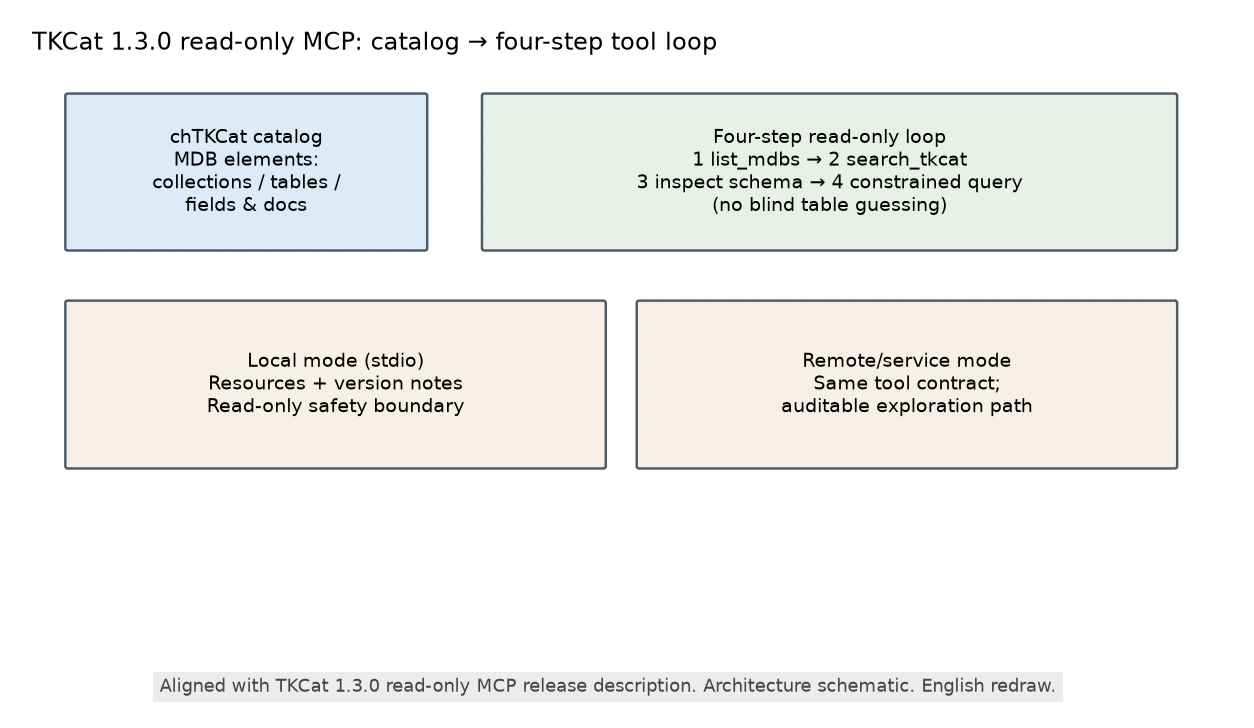
Architecture diagram of the TKCat 1.3.0 read-only MCP server: the four-step tool workflow, the three read-only safety boundaries and the local/remote dual deployment
The Four-Step, Eight-Tool Exploration Workflow and Cross-Database Federated Queries
To reproduce the way a careful data analyst explores an unfamiliar knowledge base, the MCP server in TKCat 1.3.0 breaks interaction with a ClickHouse instance (chTKCat) into four progressive steps and supplies eight dedicated tools. Step one is "find relevant resources": the assistant first calls list_mdbs to get the title, description, version number, data size and access level of every readable MDB on the instance, and then uses search_tkcat (built on search_MDB_tables() and search_MDB_fields()) to locate the target database by keyword across the table comments and field comments of dozens of knowledge bases. Step two is "understand the model and the cross-database concepts": describe_mdb returns the target database's general information, table formats and dimensions, relationships between tables and concept-collection members; describe_tables goes on to extract field-level R types and ClickHouse types, primary and foreign keys, indexes and detailed comments; list_collections lists cross-database concept collections such as genes and phenotype conditions, along with their member mappings in each MDB.
Once the model has been checked, the workflow moves to step three, "preview a data sample": the assistant calls preview_table to read the first several records of the target relational table or matrix, and verifies identifier prefixes and value formats against real data, avoiding empty results caused by wrong assumptions about format. Step four is "run an explicit read-only query": for relational tables it calls query_mdb to run a read-only ClickHouse SELECT query, and for high-dimensional matrices it calls get_matrix_values to extract values for specified rows and columns. In query_mdb, tables inside the current MDB are referenced directly by their model table names (for example SELECT * FROM genes), while tables of other knowledge bases on the same chTKCat instance can be called across databases with the `MDB`.`table` syntax. Combined with the concept-alignment rules provided by list_collections, the assistant can link the Human Phenotype Ontology (HPO), the clinical variant database ClinVar, the drug-target database ChEMBL, or the gene expression and nomenclature resources GTEx and HGNC in a single SQL query, answering cross-source questions such as "which drugs target genes related to a particular disease phenotype".
Dual Deployment Modes, Three Read-Only Protections and the Boundaries of Governance
For the two scenarios of personal analysis and institutional sharing, TKCat 1.3.0 offers two R server forms. The local mode is implemented by chTKCat_mcp_server(): it requires R (≥ 4.1) installed on the client machine and install.packages("TKCat"), and the MCP client launches an Rscript process directly over standard input and output (stdio) to connect to a local or remote chTKCat. The remote mode is implemented by chTKCat_mcp_http_server() and uses Streamable HTTP transport (listening on 127.0.0.1:8800 by default, endpoint /mcp, with connections and data models cached in memory for cacheTime = 3600 seconds), so end users do not need to install R or TKCat locally. Because a single R process handles only one request at a time, a production setup can deploy several stateless instances with systemd and serve them in parallel behind an nginx reverse proxy that provides HTTPS encryption and request rate limiting. To protect the data, the server applies three layers of read-only enforcement and quotas. First, the ClickHouse session is forced open with readonly = 2, so any write operation, table creation or deletion, or permission change is rejected for the life of the session. Second, SQL is strictly syntax-checked before it is sent: only a single SELECT statement (or one starting with WITH) is accepted, and SETTINGS, INTO OUTFILE clauses and external table functions such as url(), file(), s3() and remote() are blocked. Third, by default a single response is limited to maxRows = 1000 rows and maxChars = 60000 characters, with a maximum execution time of maxExecutionTime = 300 seconds, preventing large-table scans from blocking the service or overflowing the context window.
As for permission governance and the boundaries of use, the remote service does not store passwords on disk; credentials passed by the client in the HTTP Basic Authorization header are handed to ClickHouse for verification, so each user can query only the MDBs that their own permissions allow. However, environment variables or Base64 encoding in a client configuration file are not encrypted storage, so the official advice is to give the MCP a dedicated account with read-only access to the target databases only, and to require HTTPS for all remote communication. The HTTP server also provides no OAuth authentication, so it cannot currently be connected directly to the claude.ai web cloud connector (which requires public reachability and OAuth). The more fundamental governance red line is that every piece of data returned by an MCP tool is sent to the connected AI service, so institutions should never expose MDBs that contain unanonymized private data or controlled proprietary data to an external large model. From a methodological point of view, Godard states plainly that "the better the documentation, the better the answers": the TKCat MCP server cannot replace underlying data governance, and natural-language queries can reach auditable scholarly reliability only if solid data engineering has first gone into ReDaMoR modeling, field-level comments and cross-database concept collections.
References
-
Patrice Godard. TKCat meets LLMs: an MCP server for well-documented knowledge resources. Personal Blog, 2026-10-21.
-
Patrice Godard. CRAN Package TKCat: Tailored Knowledge Catalog (Version 1.3.0). The Comprehensive R Archive Network (CRAN), 2026-10-20.
-
Patrice Godard. Querying a chTKCat instance with an AI assistant (MCP server). TKCat 1.3.0 Documentation Vignette, 2026-10-21.
-
Patrice Godard. TKCat End-to-End: From ClickHouse Setup to MCP Server Configuration. TKCat 1.3.0 Documentation Vignette, 2026-10-21.
-
Patrice Godard. patzaw/TKCat: Tailored Knowledge Catalog GitHub Repository. GitHub, 2026-10.
-
R-bloggers. TKCat meets LLMs: an MCP server for well-documented knowledge resources. R-bloggers (Syndicated), 2026-10-20.
-
Research Methods · Rituals can be imitated; understanding cannot be faked
-
Compiled and published by the Scholay all-in-one academic platform; if any rights are infringed, please contact us and we will take the content down.
-
Also published at Enter Scholar, a scholar community for the age of intelligence